Silent Vibrating Metronome for Your Wear OS Watch
Your Wear OS watch taps the beat on your wrist while you play, sing, dance or run, and nobody else hears a thing. No phone needed, and no click in your ears or your microphone.

What Hushbeat does
Feel every beat
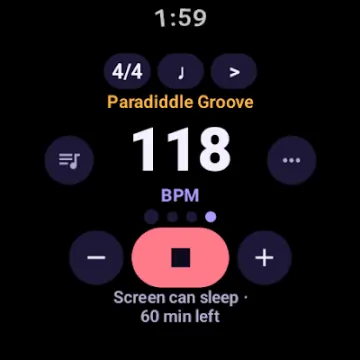
A double tap on the downbeat, a firm tap on every beat, a light tap on subdivisions. Keeps tapping with the screen off and your wrist down.
30 to 250 BPM
Turn the crown or rotating bezel, press + or -, or tap the tempo. Time signatures from 2/4 to 12/8, with eighths, triplets or sixteenths.
Never drifts
Every beat is scheduled against one clock, and the watch shows how precise your last session was.
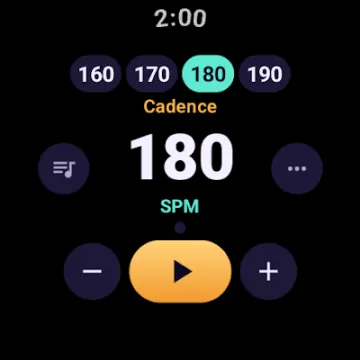
Running cadence
A tap on every step at 140 to 200 steps per minute.
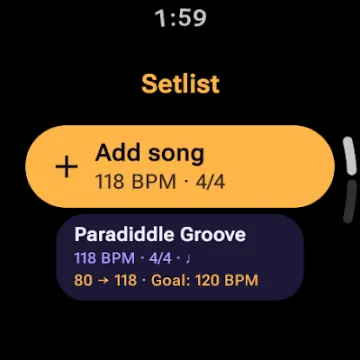
Setlist and progress
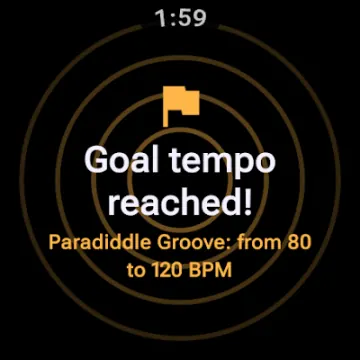
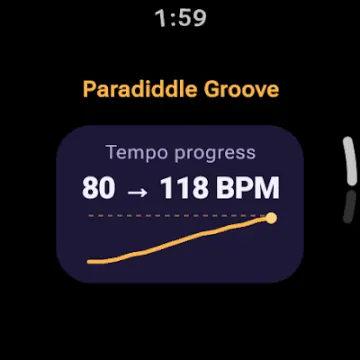
Save tempos as songs, set a goal tempo and watch your progress curve climb. Practice log, daily streak and eight badges.
One price
No subscription, no ads, no account, no data collected. It stops by itself after 60 minutes to save battery.
See it in action
Video on our YouTube channel. The player loads only when you press play.
Questions
Is there a vibrating metronome app for Android watches?
Yes. Hushbeat runs on Wear OS watches and taps the beat on your wrist, with no phone needed.
Does a silent metronome work with the screen off?
Yes. Hushbeat keeps tapping with the screen off and your wrist down, and stops by itself after 60 minutes.
Can drummers use a vibrating metronome?
Hushbeat taps a double tap on the downbeat, a firm tap on every beat and a light tap on subdivisions, from 30 to 250 BPM, so you can play without a click in your ears.
Can I use it for running cadence?
Yes. It taps every step at 140 to 200 steps per minute.
More from Dolphin Studio



See all apps · Hushbeat follows the Dolphin Studio privacy policy. Questions? Contact support.