Cricket umpire ball counter for your Wear OS watch
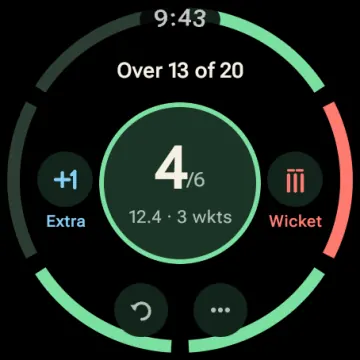
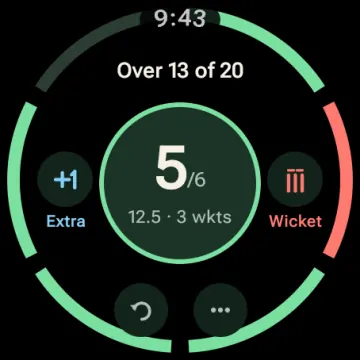
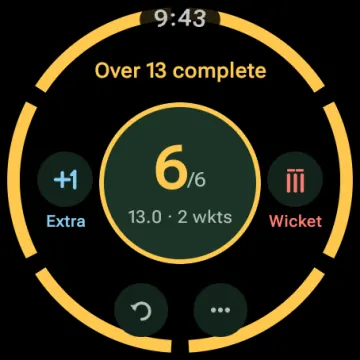
Overtick is a ball counter for the cricket umpire's wrist. Tap once for every ball and your Wear OS watch tells you where you are: two taps on the 5th, three pulses on the 6th.

What Overtick does
One tap a ball
Balls 1 to 4, the 5th and the 6th each have their own vibration, so your eyes stay on the crease. Watches with extra buttons can count with a press.
Extras, wickets and undo
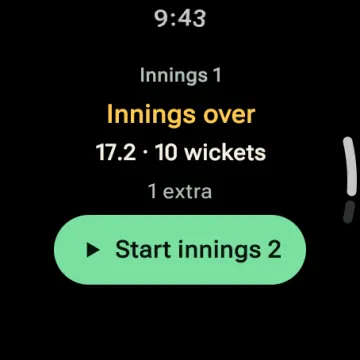
Extra counts a wide or no-ball that is bowled again. Wicket counts the ball and the wicket with a long pulse. Undo takes back the last press.
Formats
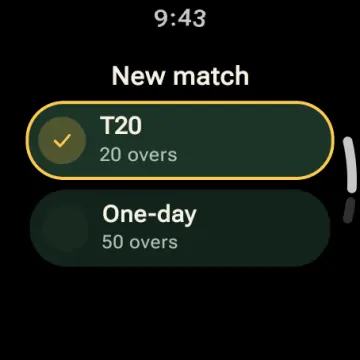
T20, one-day, T10, an open game for timed and multi-day cricket, or your own overs, with two innings or four. Innings end by themselves.
Match cards and certificates
Each match gets a card with overs, wickets and extras. Umpire certificates mark your 1st, 10th and milestones up to 1000, plus a card for each season.
Runs on the watch alone
No phone, signal or account needed at the ground. The screen stays on during a match, and a tile and complication show the over and wickets.
See it in action
Video on our YouTube channel. The player loads only when you press play.
Questions
Is there a cricket umpire counter app?
Yes. Overtick turns your Wear OS watch into an umpire's ball counter that runs on the watch alone.
How does an umpire ball counter handle wides and no-balls?
Tap Extra for a wide or no-ball. It is bowled again and does not count toward the over.
Can I use it for T20 and one-day matches?
Yes. Pick T20, one-day (50 overs), T10, an open game or your own number of overs.
Is Overtick free?
Counting, every vibration, extras, wickets, undo, the formats, match cards and certificates are free. An optional one-time Pro unlock adds more. No subscription, no ads.
More from Dolphin Studio

See all apps · Overtick follows the Dolphin Studio privacy policy. Questions? Contact support.