Beep Test on Your Wear OS Watch: a Buzz at Every Line
Shuttle Level runs the 20 m multistage shuttle run right on your wrist. Your watch buzzes at every line, so you can run the test alone: no speaker, no phone, no helper with a stopwatch.
What Shuttle Level does
Buzzes instead of beeps
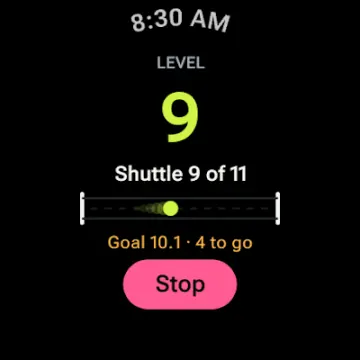
One buzz means be at the next line. Three buzzes mean a new level, a little faster. An optional beep is there too.
Clear screen while you run
A big level number, the shuttle count and a lane that shows where you should be.
Safe against bumps
Stop asks once, so a bump never ends your test. Leave the app by mistake and the test pauses instead of drifting.
Results and certificates
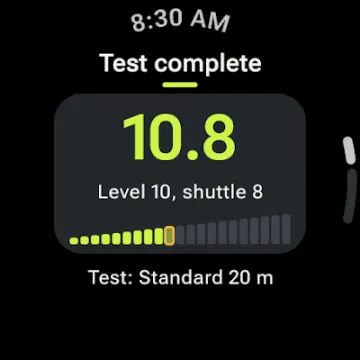
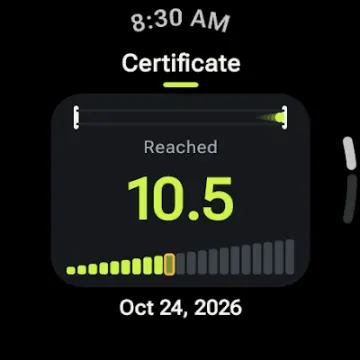
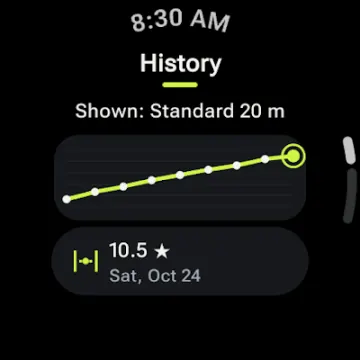
See your score, distance, time and top speed, plus a certificate with the 21-step staircase filled up to your level.
Two timing tables
Choose Standard 20 m or Léger et al. (1988). Both full tables are in the app, and results and bests are kept per table.
Badges and a tile
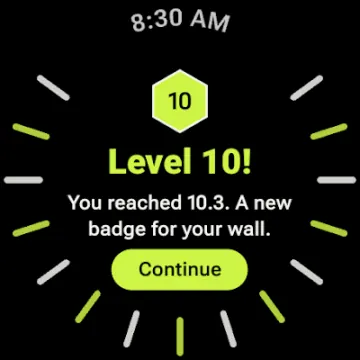
Level badges at 4, 6, 8, 10, 12, 14 and 16, and your personal best on a tile with a Start button.
Questions
How do I do the beep test at home?
Mark two lines 20 m apart and tap Start. Run to the next line on each buzz, and tap Stop when you can no longer reach the line in time. Your score, like 10.4, is saved.
What are the beep test levels?
On the Standard 20 m table, level 1 is 8.0 km/h, level 2 is 9.0, then each level adds 0.5 km/h, for 21 levels and 247 shuttles. The Léger table starts at 8.5 km/h.
Is there a beep test app for Android watches?
Shuttle Level is made for Wear OS 3 and newer, on round and square watches, and runs on the watch alone.
Is the beep test app free?
The complete test is free as often as you like. Shuttle Level Pro is one optional payment for extras like a goal level and full history. No subscription, no ads.
More from Dolphin Studio
See all apps · Shuttle Level follows the Dolphin Studio privacy policy. Questions? Contact support.