
Expense tracker for Wear OS: log spending in two seconds
Spendwrist is a private expense tracker for your Wear OS watch and your phone. Log a purchase in about two seconds at the till and see where your money goes each month.
What Spendwrist does
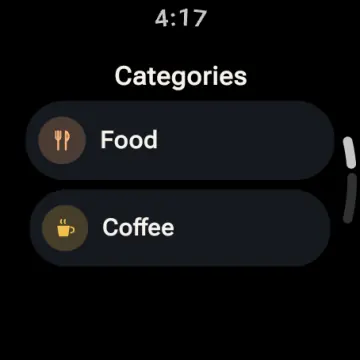
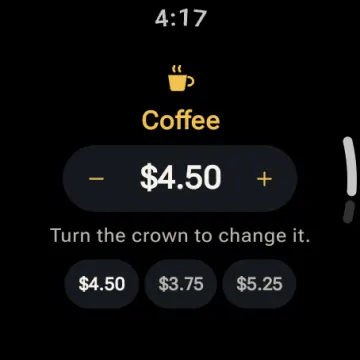
Tap and turn the crown
Tap a category and turn the crown to the amount. It starts at what you paid there last time, so the usual coffee is a tap and Save.
Or just say it
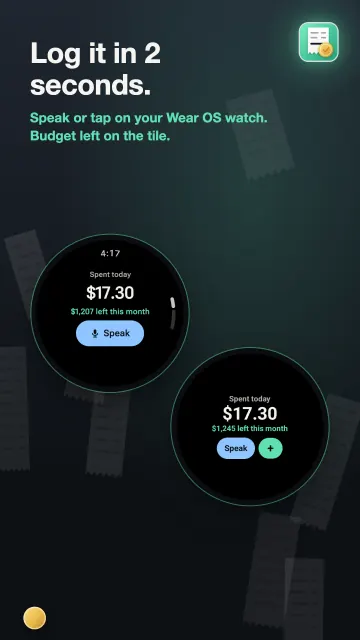
Tap Speak and say coffee 4.50. Spendwrist reads the amount and category, and Undo is right there.
Tile and complication
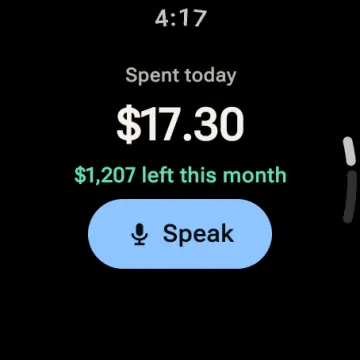
See today's total and what is left of the month, with Speak and + one tap away.
Budget and charts
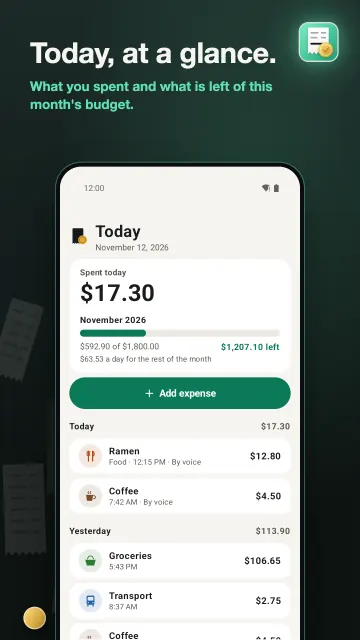
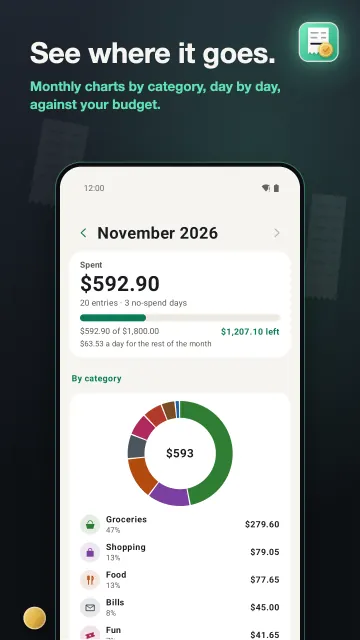
Set a monthly budget that shows what is left per day. Each month is a ring by category and a bar for every day, in any currency.
Streaks and a year receipt
No-spend days in a row, months within budget and a year-end receipt card with your categories and total.
See it in action
Video on our YouTube channel. The player loads only when you press play.
Questions
Is there an expense tracker for Wear OS?
Yes. Spendwrist logs expenses on your Wear OS watch by tap or voice, works without your phone nearby and syncs with the phone app.
Is Spendwrist a free expense tracker app?
The core is free: logging on watch and phone, voice, the tile, the monthly budget and this and last month's charts. An optional one-time Pro unlock adds more. No subscription, no ads.
Does it connect to my bank?
No. There is no bank connection and no account; your expenses stay on your phone and watch.
Can I export my expenses?
Pro adds CSV export of all your expenses, along with your own categories and every past month.
More from Dolphin Studio




See all apps · Spendwrist follows the Dolphin Studio privacy policy. Questions? Contact support.