Golf Swing Tempo Trainer on Your Wear OS Watch
Swingpulse puts your swing tempo on your wrist. Three silent taps tell you when to start back, when to change direction and when to meet the ball.

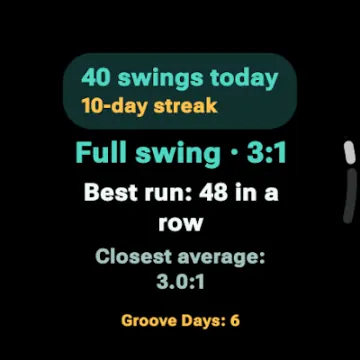
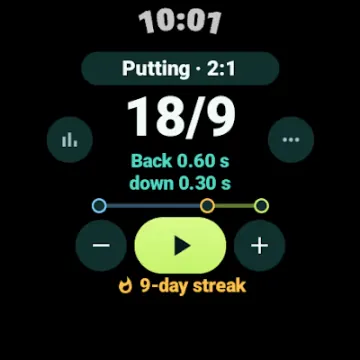
What Swingpulse does
Three taps per swing
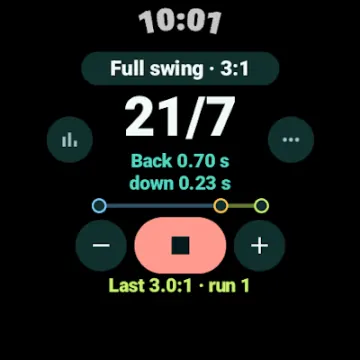
Takeaway, top and impact, spaced 3:1 for full swings and 2:1 for putts.
Many tempos to choose from
Seven full-swing tempos from 15/5 to 33/11 and nine putting tempos from 12/6 to 28/14. Turn the crown or rotating bezel to choose.
No earbuds, no phone
The watch itself taps, and keeps tapping with the screen off and your arm down. It stops by itself after 60 minutes.
Your own pace
Set 4 to 20 seconds between swings, with a soft get-set tap one second before.
Measure my swings (beta)
The watch's motion sensor compares your backswing with your downswing and shows your ratio after every swing.
Tile and complication
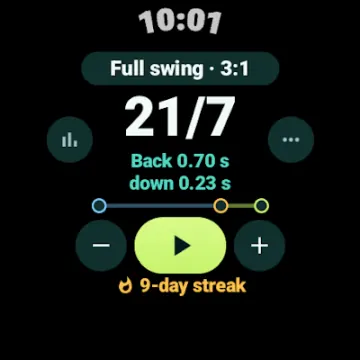
Start your last drill with one tap from a tile or a watch face complication.
Questions
What is a golf tempo trainer?
It gives you a steady rhythm for your swing. Swingpulse does it with three silent taps on your wrist, a practice aid for rhythm.
Is there a golf swing tempo app for a watch?
Swingpulse runs on Wear OS. Wear the watch on your lead wrist, and look around before every swing.
Does it work like a golf tempo metronome?
Yes, but silent. Instead of sound, the watch taps at takeaway, top and impact, so you need no earbuds.
Is the golf tempo app free?
It is a free download with full-swing tempo practice. Swingpulse Pro is one optional one-time purchase that adds putting 2:1 and more. No subscription, no ads.
More from Dolphin Studio

See all apps · Swingpulse follows the Dolphin Studio privacy policy. Questions? Contact support.