
A silent hourly chime for your Wear OS watch
Chimewrist puts an old striking clock on your wrist, without the sound. Every hour your Wear OS watch gives one long, calm buzz, so you feel the day pass without looking.

What Chimewrist does
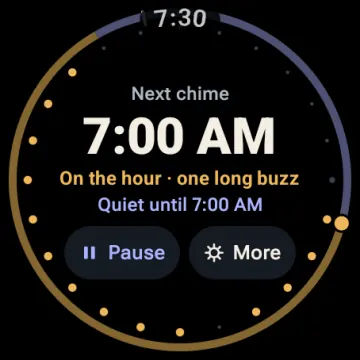
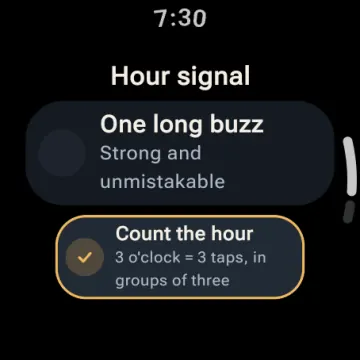
One long buzz on the hour
It is vibration only. Chimewrist never plays a sound and never pauses your music, podcast or call.
Quarters, halves or the hour in taps
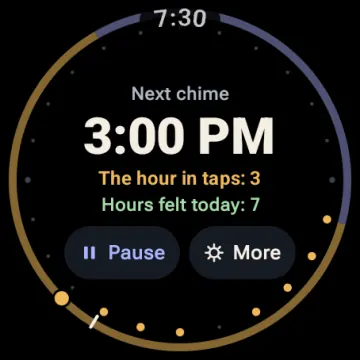
With Pro, short buzzes mark the quarter and half hour, or the watch taps out the hour in groups of three you can count.
On time, or not at all
Allow exact alarms and 10:00 is felt at 10:00. A chime that would come late is skipped, never buzzed at the wrong time, and the log lists every one.
Quiet nights
Quiet hours keep the night still, and Do Not Disturb, charging, daylight saving and time zones are respected. Pause for an hour or until morning.
Tile, complication and a 24-hour dial
See the next chime on a tile or complication, and your day and quiet night on a 24-hour dial.
Keepsake medals and a year card
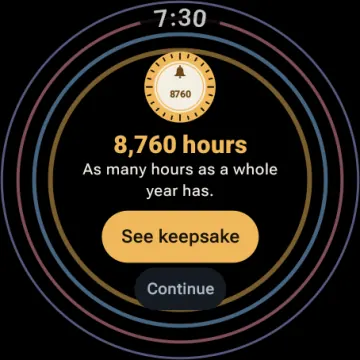
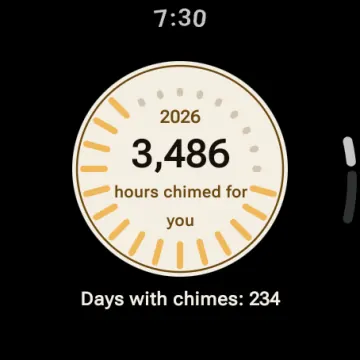
Medals appear at 100, 1,000 and 8,760 hours. On New Year's Eve a fanfare buzz plays and your year card shows when the chimes found you.
See it in action
Video on our YouTube channel. The player loads only when you press play.
Questions
Is there an hourly chime for Wear OS?
Yes. Chimewrist gives one long vibration on every hour on your Wear OS watch, with a tile and a watch face complication for the next chime.
Can I make my watch vibrate every hour without a sound?
Yes. Chimewrist is vibration only and never plays a sound or pauses your audio.
How do I turn off the hourly chime at night?
Set quiet hours, or pause the chime for an hour or until morning. Do Not Disturb and charging are respected too.
Is Chimewrist free?
Hourly chimes, quiet hours, pause, the log, the tile, the complication and every keepsake are free. One optional purchase adds quarters, halves and more. No subscription, no ads.
More from Dolphin Studio



See all apps · Chimewrist follows the Dolphin Studio privacy policy. Questions? Contact support.